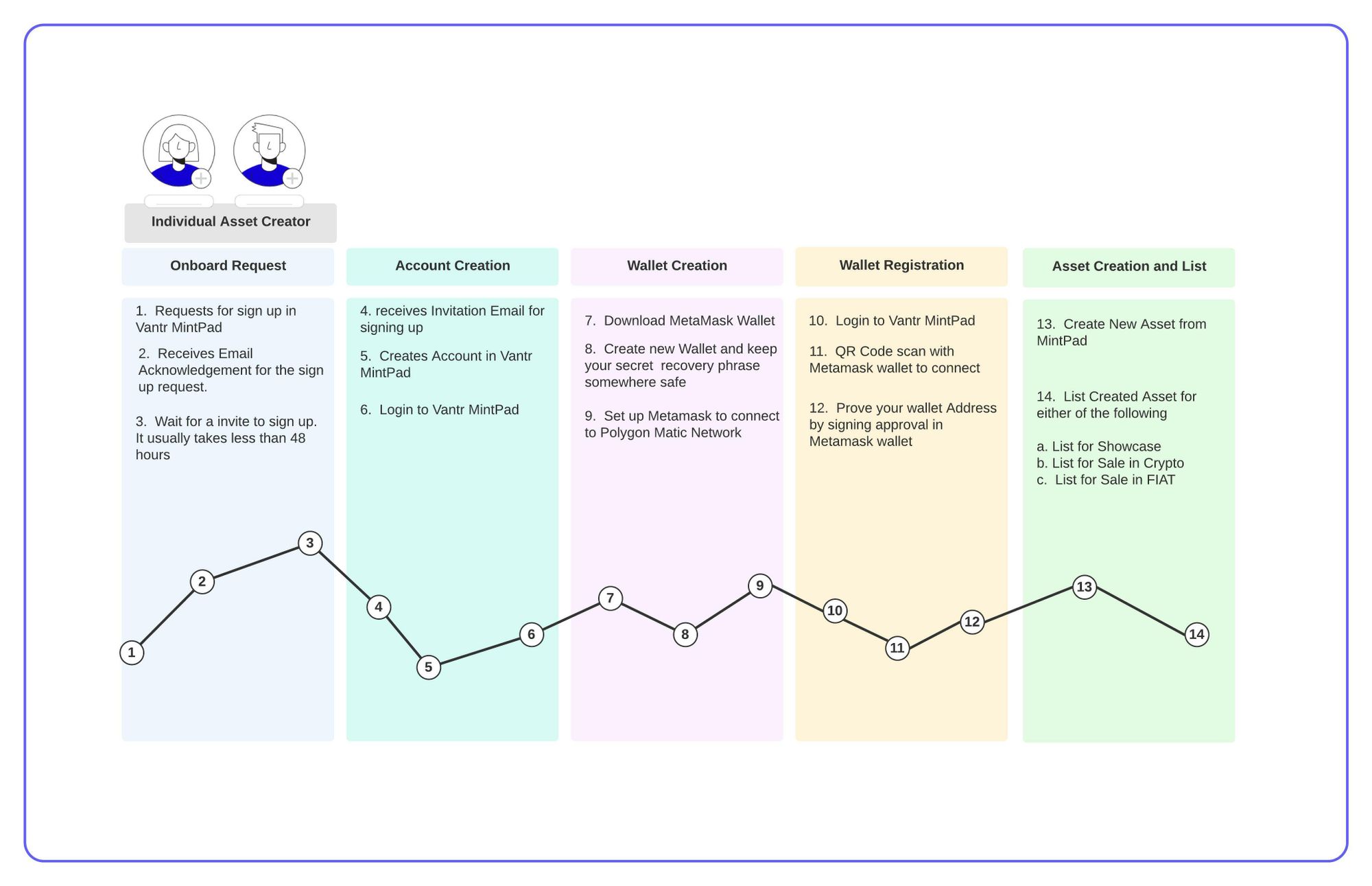
Onboard Request & Account Creation
- Request for sign up in Rarebill MintPad
- Receives an Email Acknowledgement for the sign up request
- Wait for an invite to sign up. It usually takes within 48 hours.
- Receives an Invitation email for sign up.
- Creates Account in Rarebill MintPad
- Login to Rarebill MintPad
Step by step guidelines: https://faq.rarebill.io/faq/asset-creator-onboarding-request-step-by-step-guidelines/
Wallet Creation
7. Download MetaMask Wallet
8. Create new Wallet and keep your Secret Recovery Phrase somewhere safe.
9. Set up MetaMask Wallet to connect to Polygon Matic Network
Step by Step guidelines: https://faq.rarebill.io/faq/metamask-set-up/
Wallet Registration
10. Login to Rarebill MintPad
11. QR Code Scan with MetaMask Wallet to connect with Rarebill MintPad.
12. Prove your Wallet Address by signing Approval in MetaMask Wallet.
Step by Step guidelines: https://faq.rarebill.io/faq/wallet-registration-step-by-step-guidelines/
Asset Creation and List
13. Create New Asset from MintPad
Step by step guidelines: https://faq.rarebill.io/faq/create-asset-step-by-step-guidelines/
14. List Created assets for Showcase, Sale in Crypto or FIAT or in both.
Step by step guidelines: https://faq.rarebill.io/faq/list-asset-in-crypto-currency-step-by-step-guidelines/